No Istiod Access
/debug endpoints are not available)Introduction
Kiali makes use of the Istiod /debug endpoints for introspection into the control plane. If this API is unavailable Kiali continues to perform, but the feature set will be degraded. The Istio API can be unavailable for various reasons:
- The Istio API has been explicitly disabled in the Istio configuration.
- The deployment model prevents access to the Istio API (firewalls, other networking concerns or limitations).
- The API is configured but for some, potentially unexpected, reason can not be reached by Kiali.
Configuration
When the Istio API is known to be inaccessible Kiali should be configured via the istio_api_enabled configuration item.
By default, istio_api_enabled is true.
# ...
spec:
external_services:
  istio:
    istio_api_enabled: false
# ...
How does it affect Kiali
When the Istio API is not available there is expected feature degradation in Kiali:
- The control plane metrics won’t be available.
- The proxy status won’t be available in the workloads details view.
- The control plane status will be calculated based on the namespace status, instead of the istio component status.
- The Istio validations may not be available.
- From Kiali >= 2.23, the Kiali validations are available.
Note that Istio Configurations will be available. This is because the list of Istio configurations is obtained using the Kubernetes API.
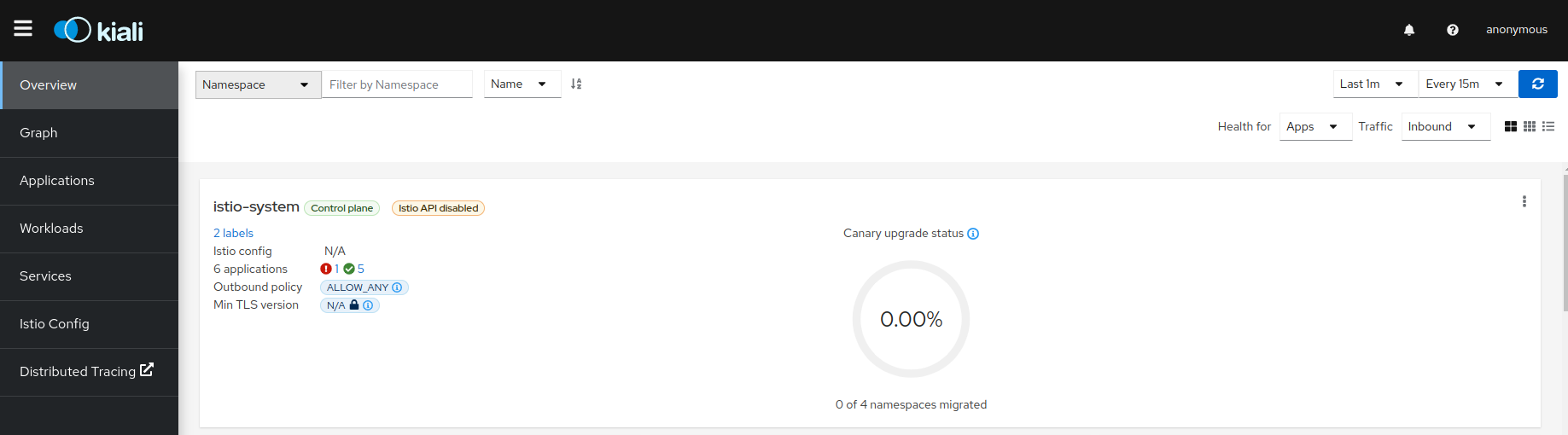
Istio Validations
The Istio validations won’t be available as this logic is provided by the Istio API. But, if the Istio Config was created when the validatingwebhookconfiguration web hook was enabled, the validation messages will be available and the Istio validations can be found:
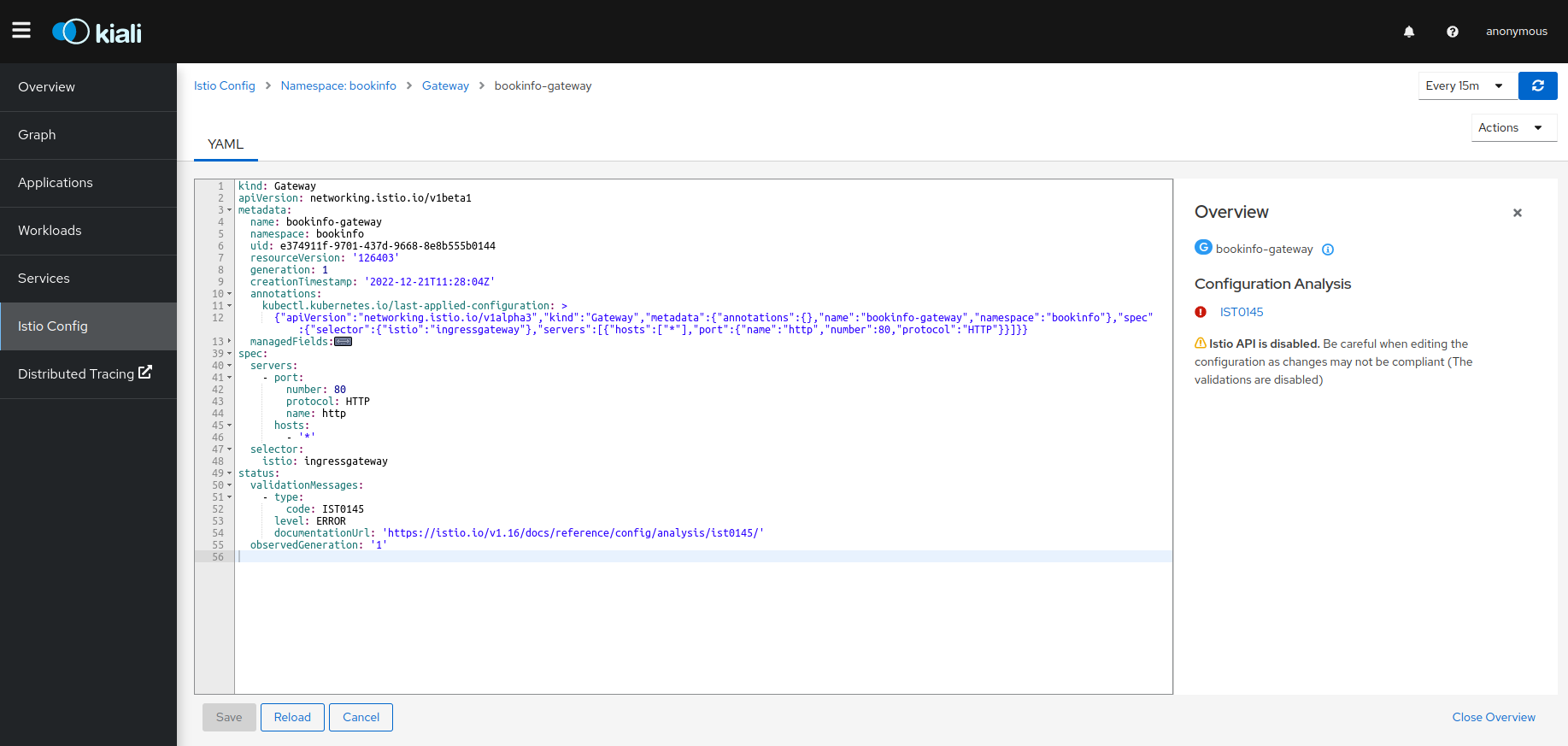
Starting with Kiali 2.23, the Kiali validations are available even when the Istio API is disabled (in earlier versions they were disabled too).
Istio Configurations
The Istio Configurations are available in view and edit mode. It is important to know that the validations are disabled, so the configurations created or modified won’t be validated.
There is one scenario where the creation/deletion/edition could fail: If the Istio validation webhook is enabled but Istiod is not reachable. In this case, the webhook should be removed in order for this to work.
It can be checked with the following command:
kubectl get ValidatingWebhookConfiguration